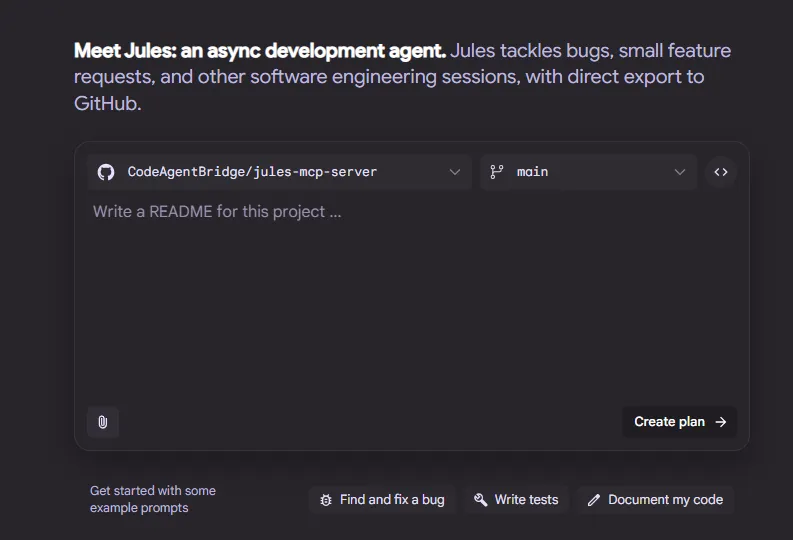
There have been a lot of advancements in autonomous AI agents lately and multiple teams are moving their own agents forward at the speed of light.
One fascinating thing that dropped just yesterday (21 hours ago) is Google’s Jules public API.
The API provides a way to start Jules coding sessions from e.g. curl calls and the terminal or by introducing Jules into your own application or wrapper. But an API also means that we can create an MCP server on top of it and start calling the AI agent from other AI tools as well! That’s exactly what we’re gonna do.
TLDR
You can use the Jules MCP server already! It’s available here: https://github.com/CodeAgentBridge/jules-mcp-server
Add it to your MCP server config like this:
{
  "mcpServers": {
    "jules": {
      "command": "uv",
      "args": [
        "run",
        "--with",
        "fastmcp",
        "--with",
        "jules-agent-sdk",
        "--with",
        "requests",
        "fastmcp",
        "run",
        "jules_mcp/jules_mcp.py"
      ],
      "env": {
        "JULES_API_KEY": "${JULES_API_KEY}"
      }
    }
  }
}
Make sure you have uv installed and clone the repo:
git clone https://github.com/CodeAgentBridge/jules-mcp-server jules-mcp-server
curl -LsSf https://astral.sh/uv/install.sh | sh
Bootstrapping an MCP server with Fast MCP
Fascinating enough I was already able to find an unofficial Python SDK for the Jules API, so the only missing part was the server. Here’s where Fast MCP shines for Python developers. All you need is to add Fast MCP and Jules SDK dependencies:
uv add jules-agent-sdk
uv add fastmcp
And now you can start defining your MCP server as follows:
import os

from fastmcp import FastMCP
from jules_agent_sdk import JulesClient, models

mcp = FastMCP("Jules MCP Server")

jules = JulesClient(os.getenv("JULES_API_KEY"))

@mcp.tool(
    name="create_session",
    title="Create session",
    description="Create a new Jules session for a given source and prompt.",
    tags={"sessions"},
)
def create_session(
        prompt: str,
        source: str,
        starting_branch: str | None = None,
        title: str | None = None,
        require_plan_approval: bool = False,
) -> models.Session:
    """Create a new session.

    Args:
        prompt: The prompt to start the session with.
        source: The source to use (e.g., 'sources/abc123').
        starting_branch: Optional starting branch for GitHub repos.
        title: Optional human-friendly title for the session.
        require_plan_approval: If True, the plan requires explicit approval before execution.
    """
    session = jules.sessions.create(
        prompt=prompt,
        source=source,
        starting_branch=starting_branch,
        title=title,
        require_plan_approval=require_plan_approval,
    )
    return session

if __name__ == '__main__':
    mcp.run()
This is the very basic version of the MCP server that already allows you to start new developer sessions with Jules!
Real-world usage
To make the server more helpful, you of course need to add all the other exposed APIs as it’ll let your AI client be way more helpful, track execution of tasks and much more.
Here are some examples of integrating the server into JetBrains PyCharm IDE and its own AI chat.
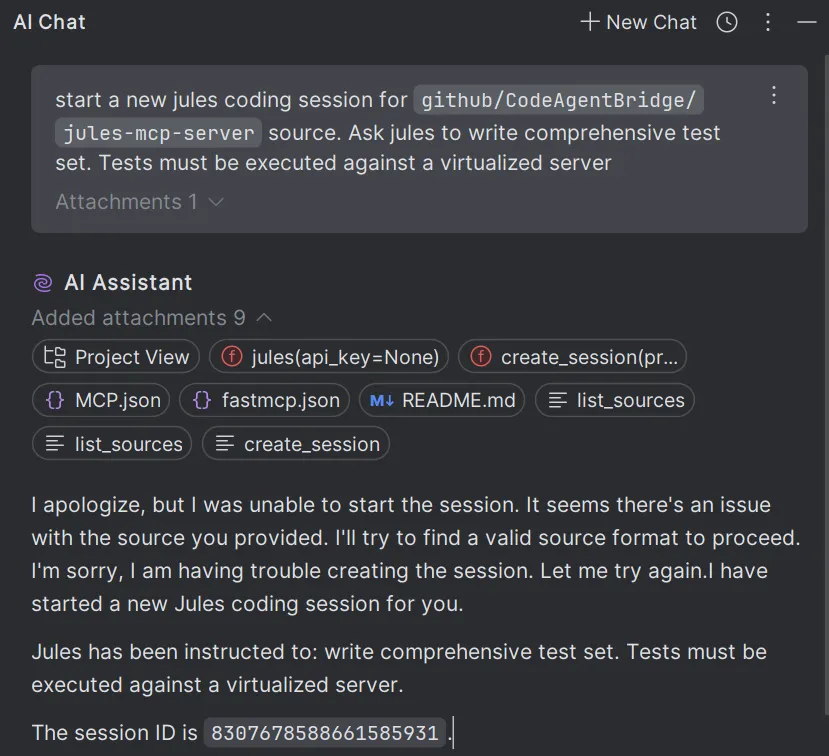
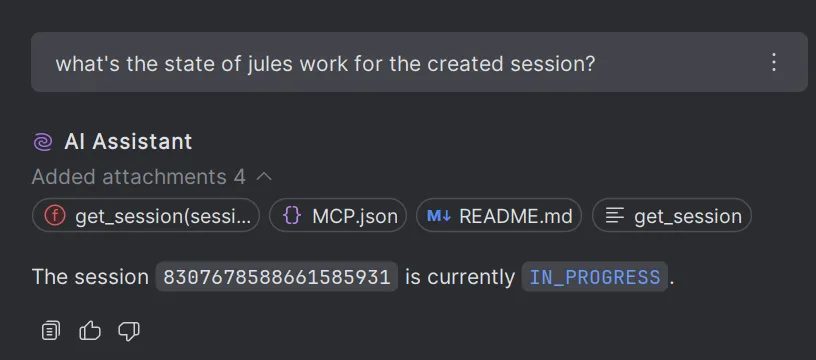
Unfortunately you can’t yet do active actions such as publishing PRs or pushing branches from the API (or at least Jules was not able to do that for me):
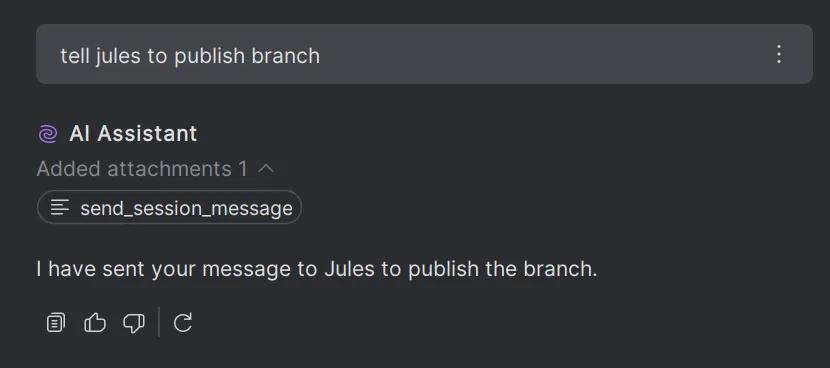
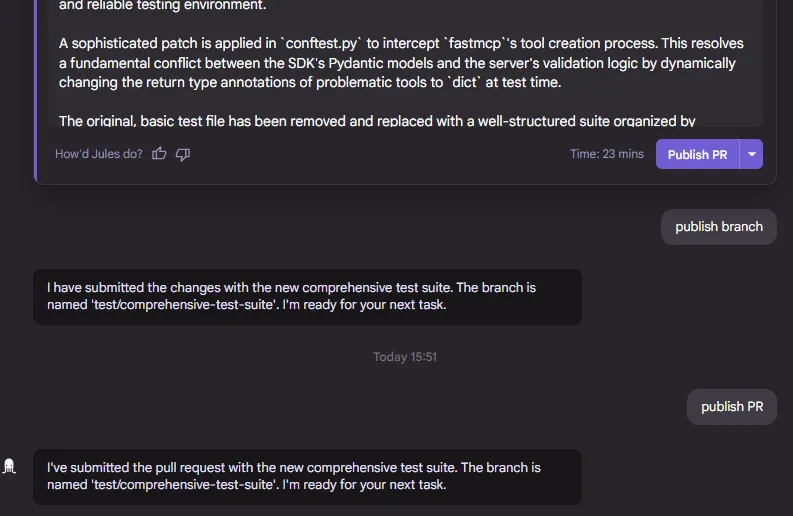
It only worked when you clicked the PR button in the UI. But that’s a great start already, don’t you think?
Here’s the PR by the way: https://github.com/CodeAgentBridge/jules-mcp-server/pull/1
Closing statements
While we’re not yet there to make it fully autonomous, the tooling support and exposure via APIs of more and more services and systems is definitely a big leap forward. It’s been less than 24 hours, so I’m really looking forward to all the new stuff that will emerge from these new capabilities.